




Share a Business Bank Account
Share a Business Bank Account
If you’ve already added and verified a business bank account, you can share it with other Workspace Admins. This allows them to use the account without repeating the full setup process.
Who can share a business bank account
- Only Workspace Admins can share a business bank account.
- You can only share verified business bank accounts.
- You can only share with admins of Workspaces where you are also an admin.
How to share a business bank account
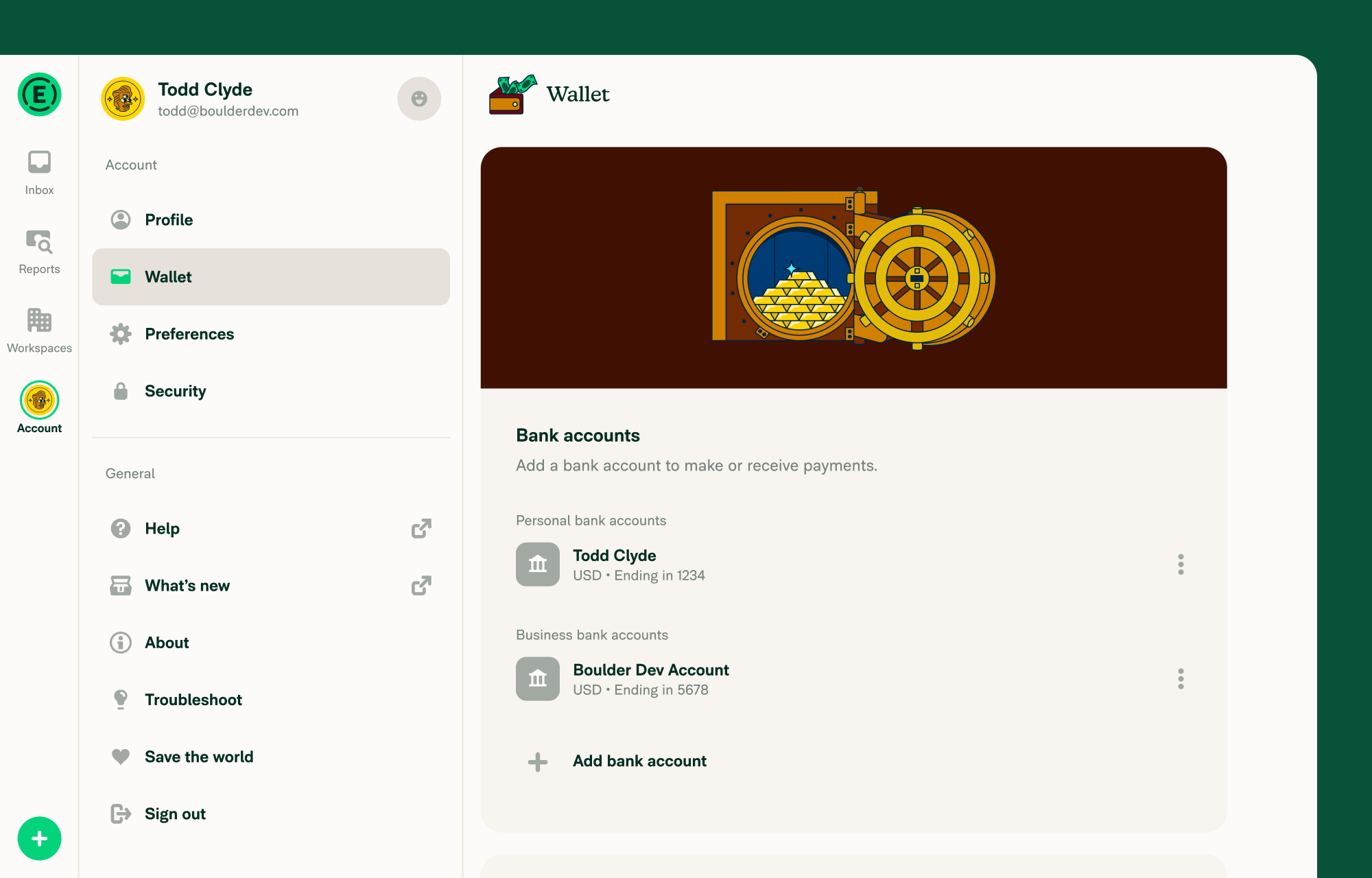
- In the navigation tabs (on the left on web, on the bottom on mobile) go to Account > Wallet.
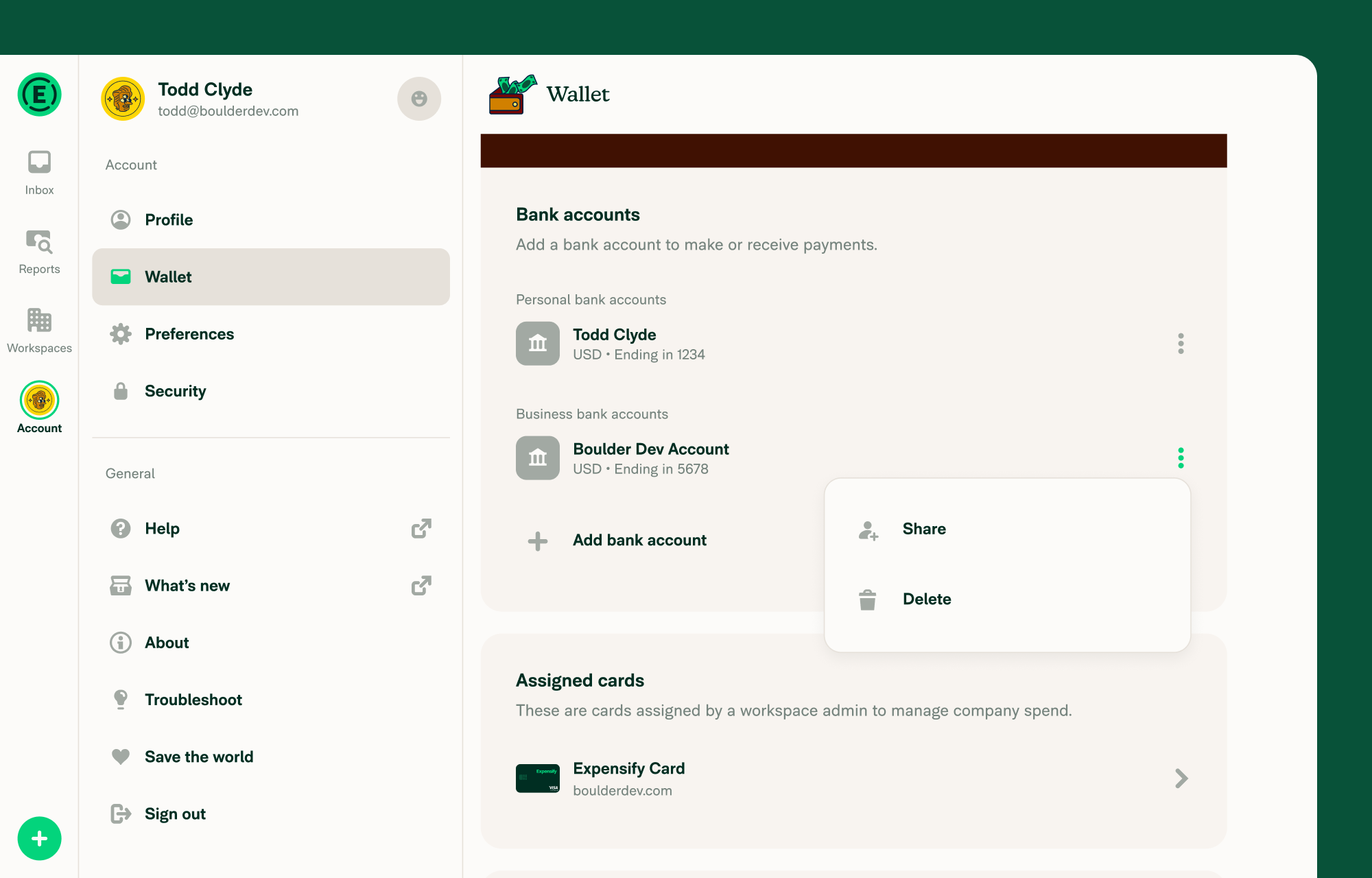
- In the Bank accounts section, find the verified business bank account and select the three dots (⋮) next to the account.
- Select Share.
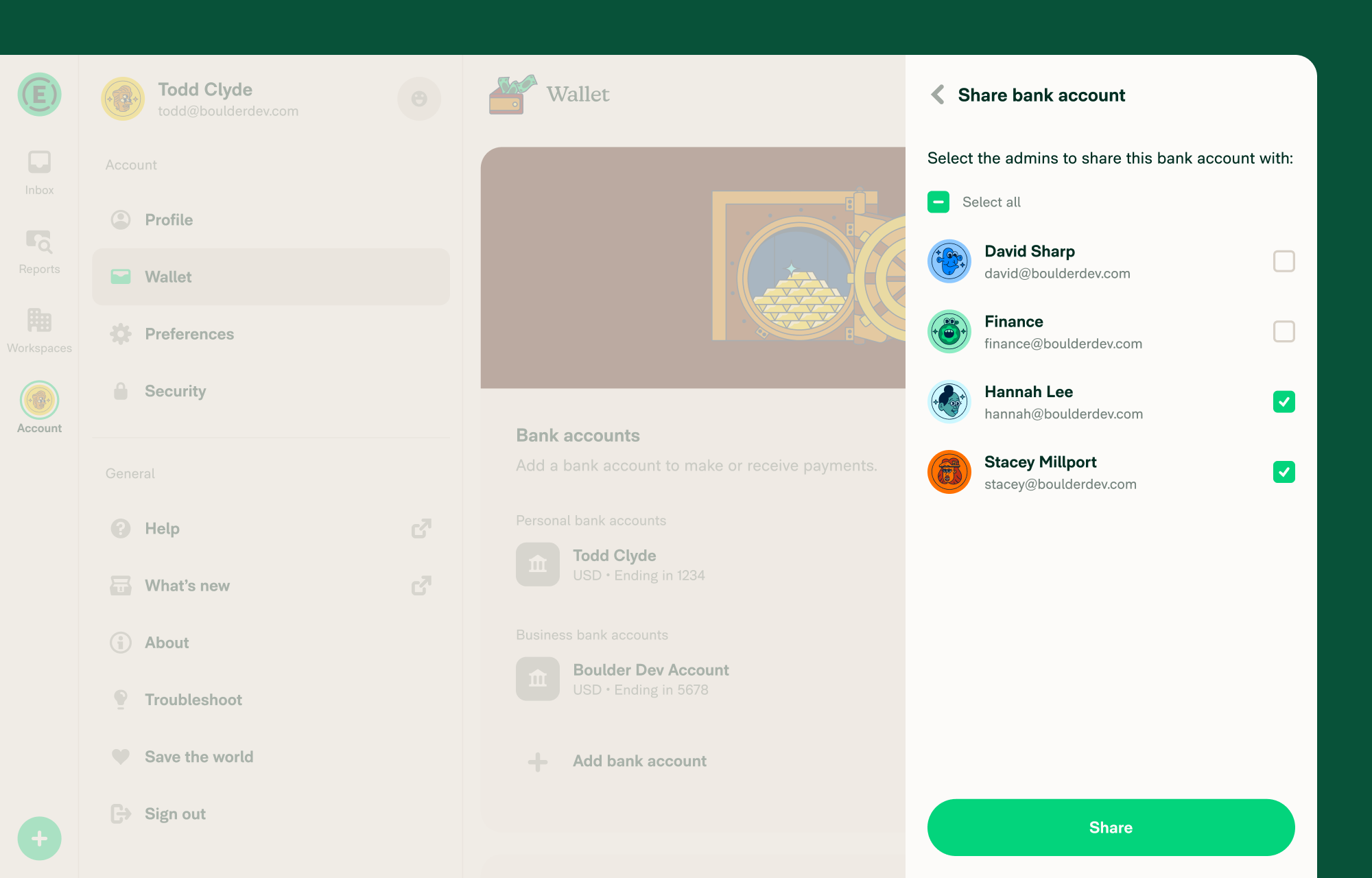
- Select the admins you want to share the account with.
- Click Share.
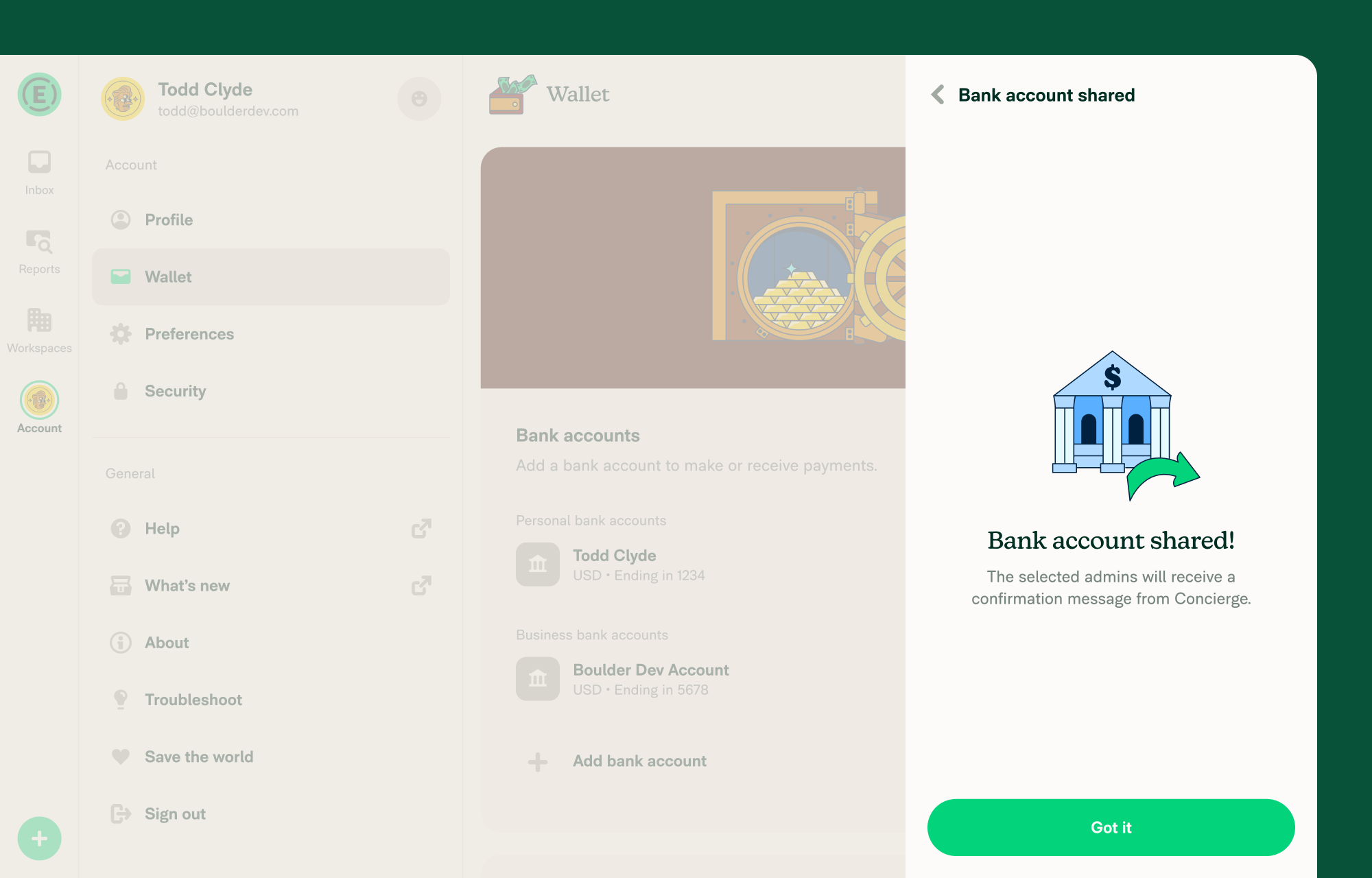
- You’ll see a confirmation once the process is complete.
Note: You can only share with Workspace Admins from Workspaces where you also have admin access.
What happens after you share a business bank account
The receiving admin must validate their copy (required for US accounts) before using the account.
- The selected admins receive a Concierge message notifying them the account was shared.
- The account appears in their Wallet.
For US accounts:
- The account shows an Action required badge
- The admin must validate the account with the test transactions before using it.
- After validation, the account is ready to use
For non-US accounts:
- The shared account is ready to use immediately — no validation is required.
Learn how to validate a business bank account.
FAQ
Why share a business bank account?
Sharing saves time by avoiding repeated setup. It also helps when changing the workspace payer or enabling reimbursements quickly.
Can I share the same bank account with multiple admins?
Yes. You can select multiple Workspace Admins when sharing.
Why don’t I see the Share option?
The Share option only appears if:
- The account is verified
- There is at least one eligible Workspace Admin you haven’t shared it with
What if the other admin already has a copy of the account?
They won’t appear in the list of admins you can share with.
Can a shared admin share the bank account with others?
Yes. Once an admin has validated the account (if required), they can share it with other admins.


